
You Don't Need Shopify to Start Selling Online: How Solo Sellers Are Launching Stores With Just a Google Sheet


Darin Mujeeb
Darin Mujeeb
Startup Tips
Startup Tips
•
If the biggest thing standing between you and your first online sale is "I don't know how to build a website," this one's for you.
The Problem With "Just Start a Shopify Store"
Every second post in a D2C group tells first-time sellers to "just start on Shopify." Good advice, eventually - but it skips over a real barrier a lot of early-stage sellers hit before they even list their first product.
Shopify means a monthly subscription, a theme to configure, apps to stack on top for basic things like WhatsApp order notifications or COD handling, and often a dev friend on speed-dial for anything that breaks. For someone testing whether their product idea even works - a side hustle, a small batch of handmade goods, a creator trying to sell merch - that setup cost is often the reason the store never launches at all.
There's a simpler starting point that more sellers in this space are quietly using: turning a Google Sheet into a live storefront.
💡 Key Insight: The barrier to starting an online store isn't the product - it's usually the tech. Removing that barrier gets more ideas to market, faster.
The Idea: A Spreadsheet as Your Store's Database
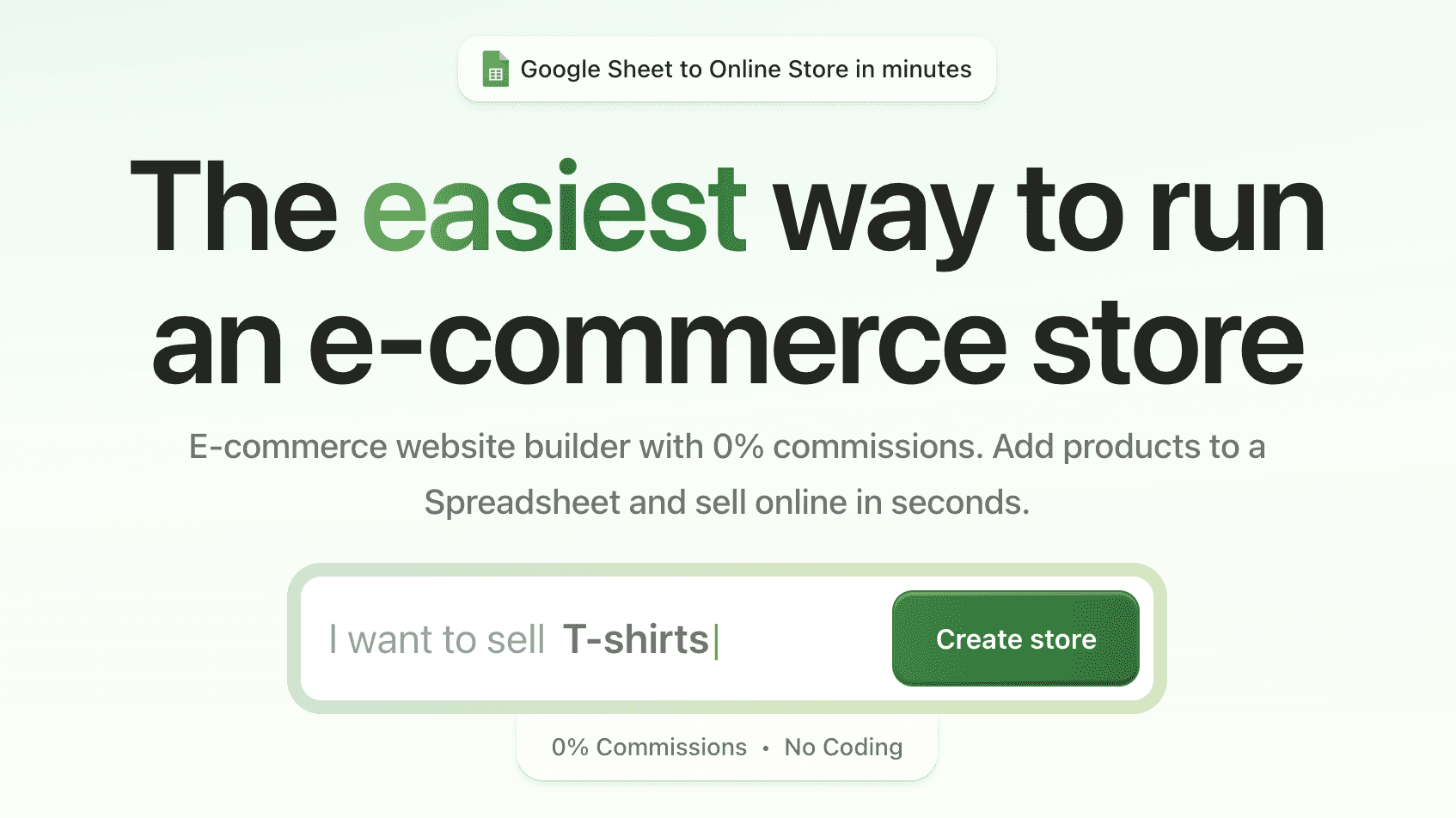
This is the core concept behind Store.link, a platform built by Micro.company. Instead of a dashboard full of settings, your product catalog is a Google Sheet. Each row becomes a product - name, price, image, description - and the storefront updates automatically the moment you edit the sheet.
No CMS to learn. No separate inventory tool to keep in sync. If you can maintain a spreadsheet (and most sellers already are, informally, in Excel or Sheets), you already know how to run the backend of your store.
The store itself comes out mobile-optimized and SEO-ready, with support for discount codes, multiple currencies, and payments through Stripe, PayPal, Razorpay, or Square - the essentials, without the app-stacking.
Setting Up a Store.link Store: Step-by-Step
You don't need a spreadsheet ready to go beforehand - Store.link builds it for you as part of setup. Here's the flow:
1. Create a new store: Sign up on Store.link and click Create New Store from your dashboard.
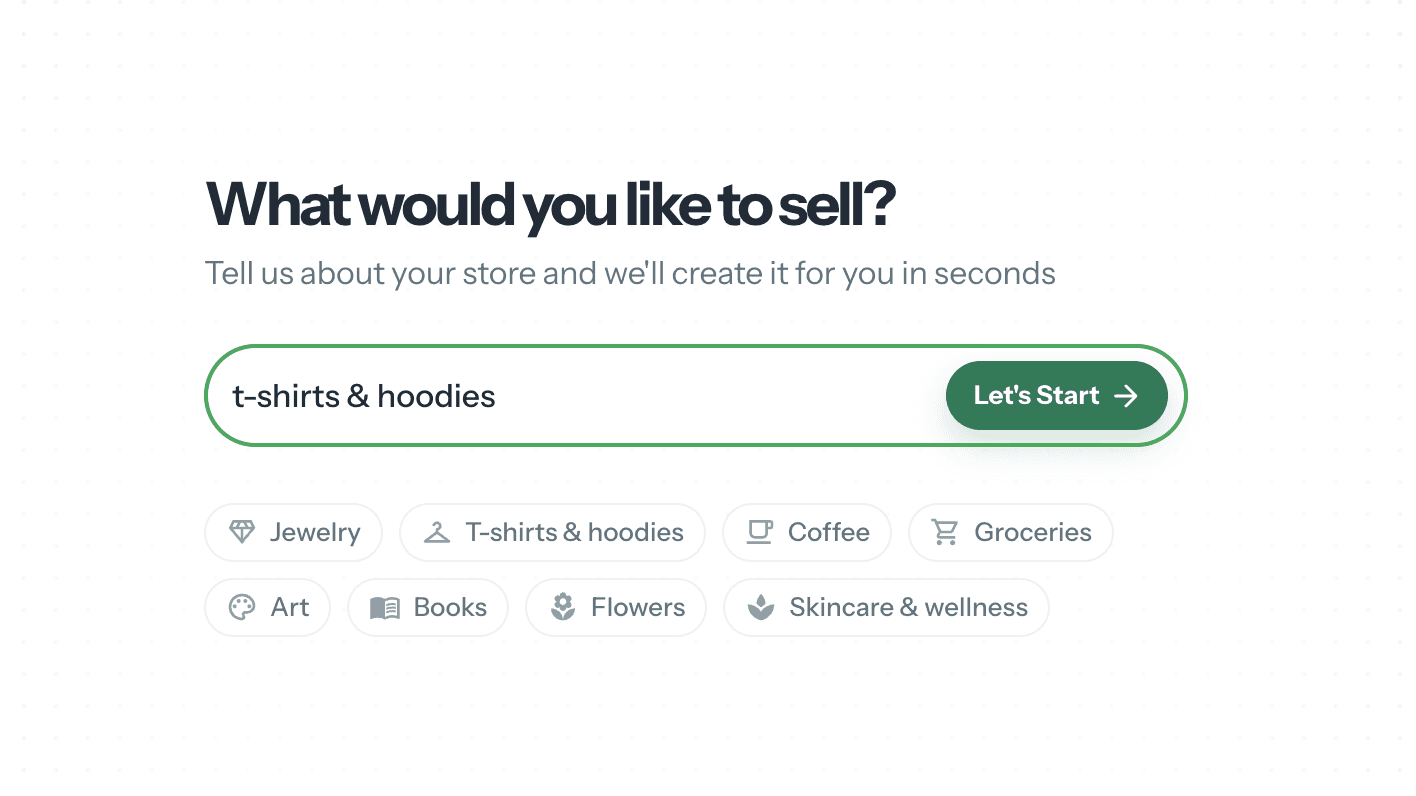
2. Add your store details: Tell it what you're selling - this determines the product structure it sets up for you. Choose a store name (this becomes your store URL) and pick a currency, then move on.
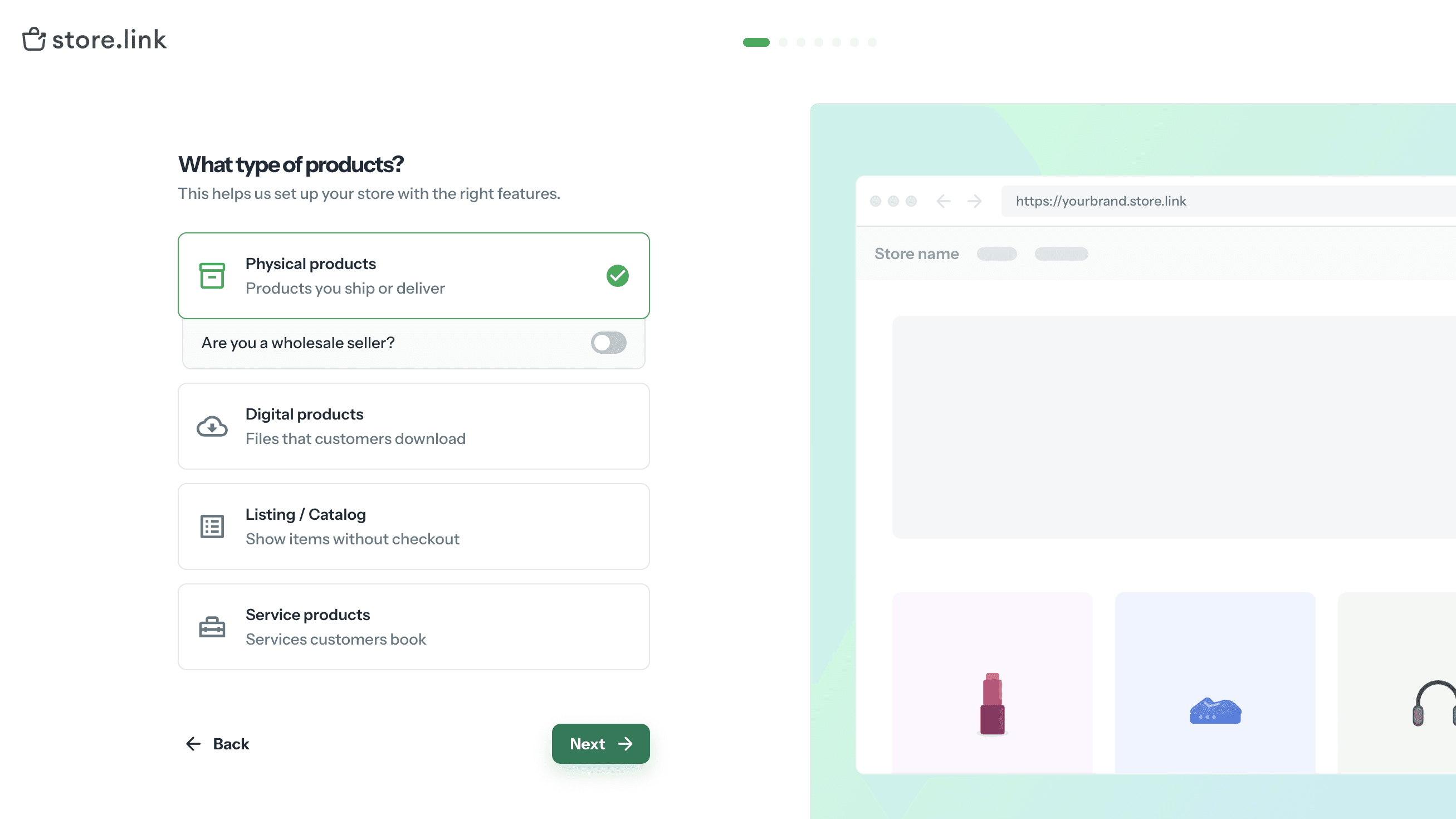
3. Pick your product type: Physical products, wholesale, digital downloads, a listing/catalog with no checkout, or bookable services - each unlocks different fields, so pick whichever matches what you're actually selling.
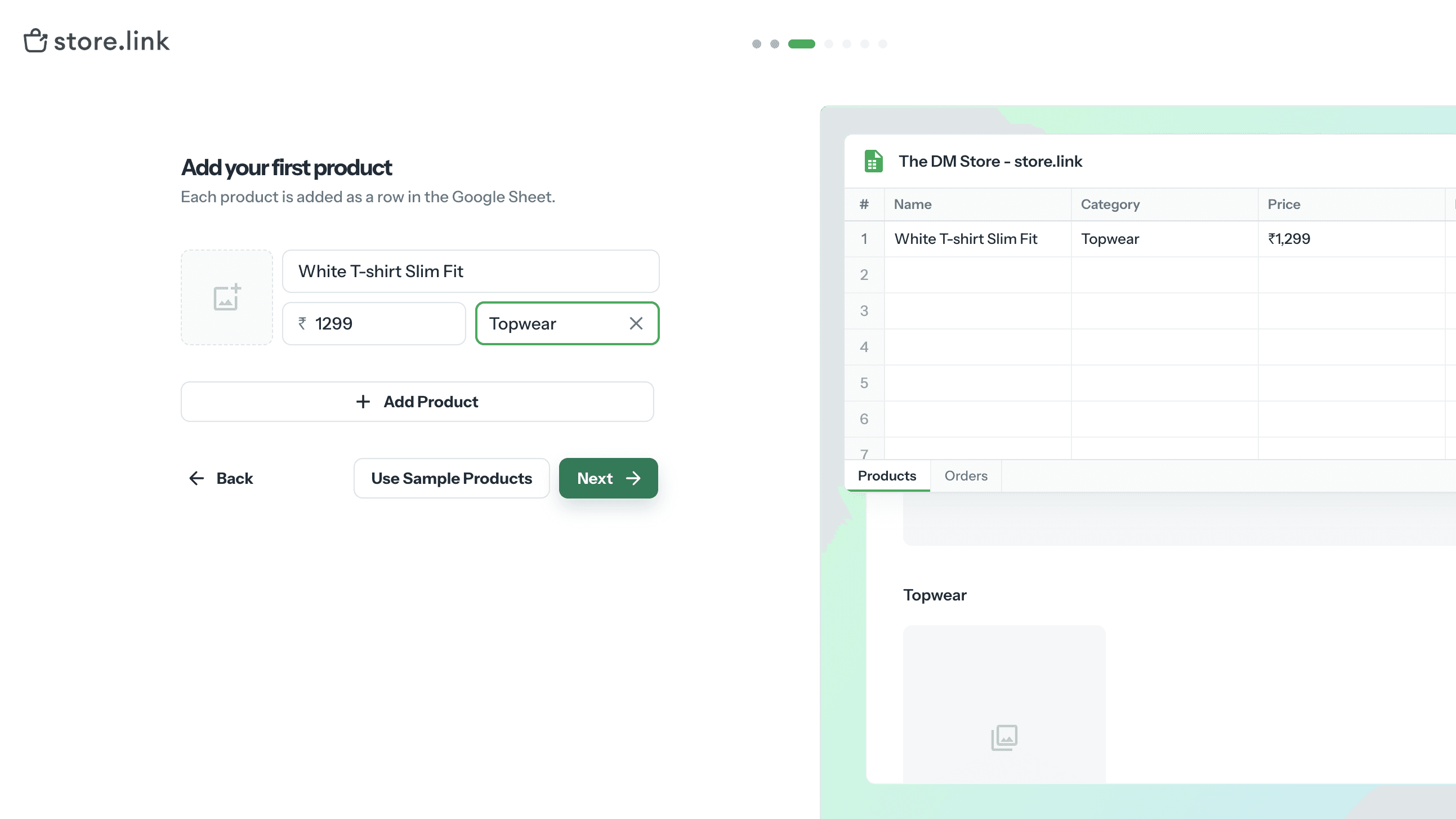
4. Add your products - or let it generate a sample set: Add real products now, or if you're not ready, let Store.link's AI populate sample listings so the store looks complete from day one. Behind the scenes, this is where the "spreadsheet as your store" part happens: your products live in an auto-generated Google Sheet, and editing that sheet is how you'll manage the store going forward.
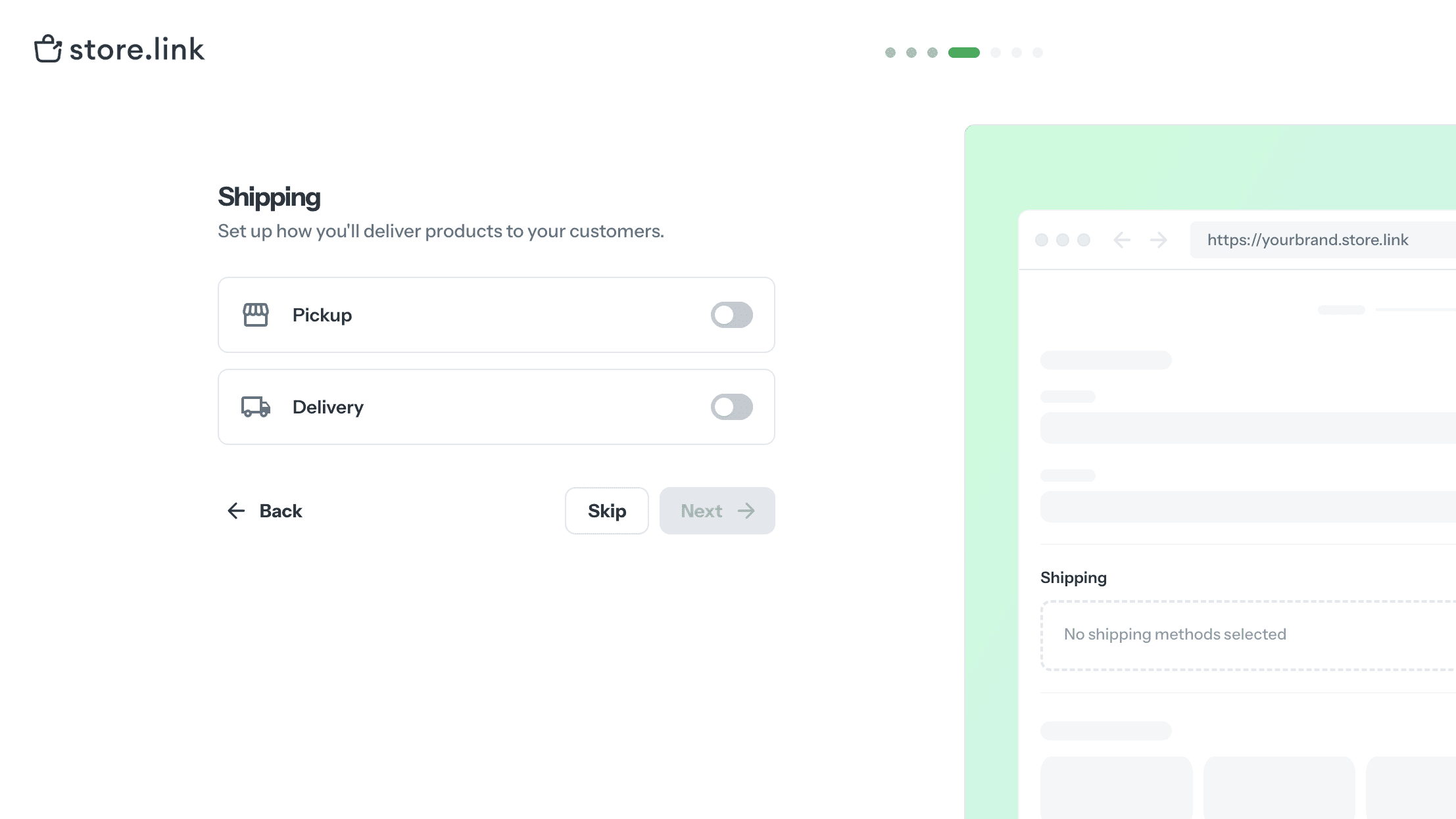
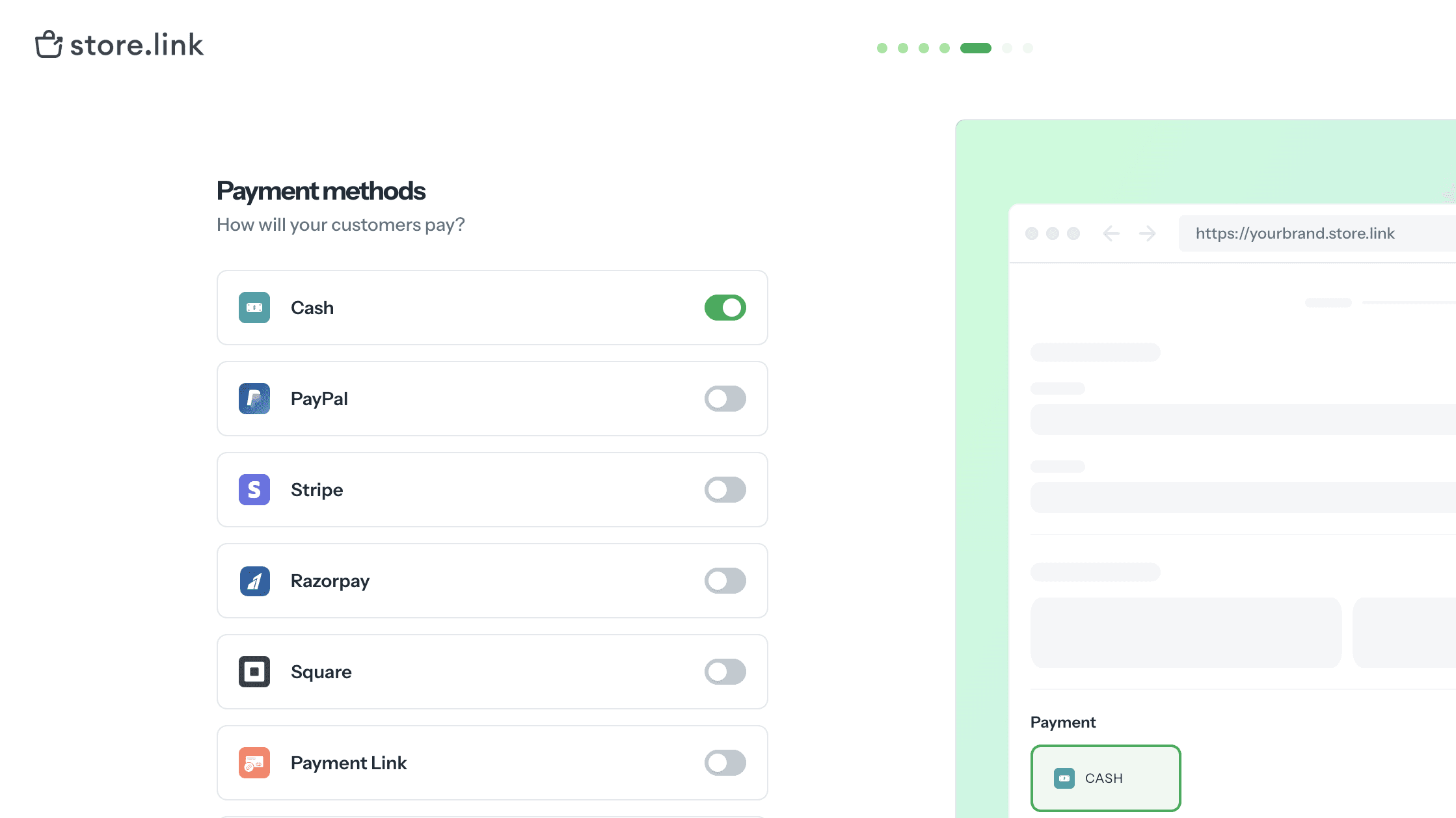
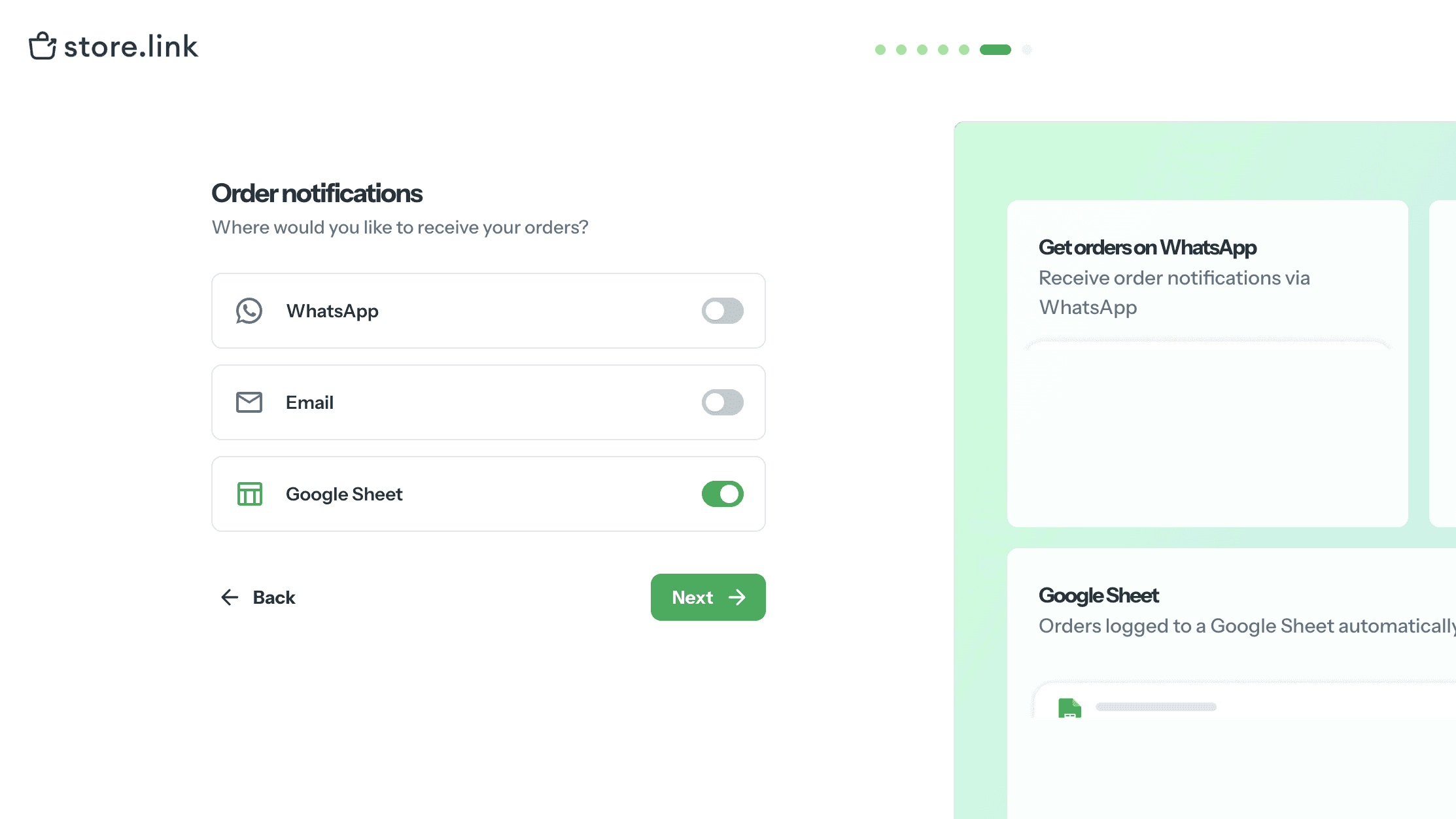
5. Set shipping, payment, and order notifications Choose pickup or delivery, connect a payment method (Razorpay is the natural default for most Indian sellers, alongside Stripe, PayPal, and Square), and set where you want to be alerted when an order comes in - WhatsApp, email, or the sheet itself.
6. Open your store That's it - your storefront is live. From here, running it is just editing rows in the sheet: add a product, update a price, mark something out of stock, and the storefront reflects it in real time.
Who This Is Actually For (and Who Should Still Go Shopify)
This isn't a Shopify replacement for every brand - and it's worth being honest about that rather than overselling it.
A spreadsheet-first store makes sense if you're:
Testing a product idea before committing to a full brand build
A creator or influencer launching merch alongside content
A solo seller or side-hustler who wants to be live this week, not next month
Someone who's currently taking orders over WhatsApp or DMs and needs a proper storefront without a dev project
You're probably better off on Shopify if you're:
Scaling past a few hundred orders a month and need deeper logistics, returns, and inventory tooling
Running paid ads at volume and need pixel-level tracking, advanced apps, and a more customizable checkout
Building a brand that needs a fully custom storefront experience
The honest framing: start lean, validate that people actually want to buy what you're selling, and then decide if you need to graduate to a heavier platform. Plenty of sellers spend months and real money building a "proper" Shopify store before they've confirmed anyone wants the product.
What It Costs
Store.link runs on a free plan with 0% commission and unlimited products and orders - genuinely usable to launch and test, not just a crippled trial. Paid tiers start around $14/month (Lite) and $29/month (Standard) for checkout, custom branding, and analytics, with annual billing bringing the price down further.
Compare that to a Shopify store once you've added a few essential apps, and the gap in both cost and setup time is significant - especially for someone who hasn't confirmed product-market fit yet.
The eCom Mafia Take: Validate Before You Build
This fits a philosophy we talk about a lot in the community - start lean, get real orders in front of real customers, and let demand tell you when it's time to invest in a heavier setup. A Google Sheet turned into a storefront isn't a lesser version of "a real store." For a lot of sellers, it's exactly the right amount of store for where they are right now.
If you're sitting on a product idea and a spreadsheet, that might be all you need to get your first sale this week.
If the biggest thing standing between you and your first online sale is "I don't know how to build a website," this one's for you.
The Problem With "Just Start a Shopify Store"
Every second post in a D2C group tells first-time sellers to "just start on Shopify." Good advice, eventually - but it skips over a real barrier a lot of early-stage sellers hit before they even list their first product.
Shopify means a monthly subscription, a theme to configure, apps to stack on top for basic things like WhatsApp order notifications or COD handling, and often a dev friend on speed-dial for anything that breaks. For someone testing whether their product idea even works - a side hustle, a small batch of handmade goods, a creator trying to sell merch - that setup cost is often the reason the store never launches at all.
There's a simpler starting point that more sellers in this space are quietly using: turning a Google Sheet into a live storefront.
💡 Key Insight: The barrier to starting an online store isn't the product - it's usually the tech. Removing that barrier gets more ideas to market, faster.
The Idea: A Spreadsheet as Your Store's Database

This is the core concept behind Store.link, a platform built by Micro.company. Instead of a dashboard full of settings, your product catalog is a Google Sheet. Each row becomes a product - name, price, image, description - and the storefront updates automatically the moment you edit the sheet.
No CMS to learn. No separate inventory tool to keep in sync. If you can maintain a spreadsheet (and most sellers already are, informally, in Excel or Sheets), you already know how to run the backend of your store.
The store itself comes out mobile-optimized and SEO-ready, with support for discount codes, multiple currencies, and payments through Stripe, PayPal, Razorpay, or Square - the essentials, without the app-stacking.
Setting Up a Store.link Store: Step-by-Step
You don't need a spreadsheet ready to go beforehand - Store.link builds it for you as part of setup. Here's the flow:
1. Create a new store: Sign up on Store.link and click Create New Store from your dashboard.
2. Add your store details: Tell it what you're selling - this determines the product structure it sets up for you. Choose a store name (this becomes your store URL) and pick a currency, then move on.

3. Pick your product type: Physical products, wholesale, digital downloads, a listing/catalog with no checkout, or bookable services - each unlocks different fields, so pick whichever matches what you're actually selling.

4. Add your products - or let it generate a sample set: Add real products now, or if you're not ready, let Store.link's AI populate sample listings so the store looks complete from day one. Behind the scenes, this is where the "spreadsheet as your store" part happens: your products live in an auto-generated Google Sheet, and editing that sheet is how you'll manage the store going forward.

5. Set shipping, payment, and order notifications Choose pickup or delivery, connect a payment method (Razorpay is the natural default for most Indian sellers, alongside Stripe, PayPal, and Square), and set where you want to be alerted when an order comes in - WhatsApp, email, or the sheet itself.


6. Open your store That's it - your storefront is live. From here, running it is just editing rows in the sheet: add a product, update a price, mark something out of stock, and the storefront reflects it in real time.
Who This Is Actually For (and Who Should Still Go Shopify)
This isn't a Shopify replacement for every brand - and it's worth being honest about that rather than overselling it.
A spreadsheet-first store makes sense if you're:
Testing a product idea before committing to a full brand build
A creator or influencer launching merch alongside content
A solo seller or side-hustler who wants to be live this week, not next month
Someone who's currently taking orders over WhatsApp or DMs and needs a proper storefront without a dev project
You're probably better off on Shopify if you're:
Scaling past a few hundred orders a month and need deeper logistics, returns, and inventory tooling
Running paid ads at volume and need pixel-level tracking, advanced apps, and a more customizable checkout
Building a brand that needs a fully custom storefront experience
The honest framing: start lean, validate that people actually want to buy what you're selling, and then decide if you need to graduate to a heavier platform. Plenty of sellers spend months and real money building a "proper" Shopify store before they've confirmed anyone wants the product.
What It Costs
Store.link runs on a free plan with 0% commission and unlimited products and orders - genuinely usable to launch and test, not just a crippled trial. Paid tiers start around $14/month (Lite) and $29/month (Standard) for checkout, custom branding, and analytics, with annual billing bringing the price down further.
Compare that to a Shopify store once you've added a few essential apps, and the gap in both cost and setup time is significant - especially for someone who hasn't confirmed product-market fit yet.
The eCom Mafia Take: Validate Before You Build
This fits a philosophy we talk about a lot in the community - start lean, get real orders in front of real customers, and let demand tell you when it's time to invest in a heavier setup. A Google Sheet turned into a storefront isn't a lesser version of "a real store." For a lot of sellers, it's exactly the right amount of store for where they are right now.
If you're sitting on a product idea and a spreadsheet, that might be all you need to get your first sale this week.
More Blogs Like This

You Don't Need Shopify to Start Selling Online: How Solo Sellers Are Launching Stores With Just a Google Sheet
Startup Tips

How Indian MSMEs Can Start Selling Globally Through E-Commerce Exports
Startup Tips

What Beginners Should Focus on First When Starting a Brand - and What Can Wait
Startup Tips

How to Choose the Best Payment Gateway for Your UAE E-Commerce Business
Startup Tips
MORE LINKS
Copyright © 2026 The eCom Show™ is a brand of Golden Percentages LLP.
MORE LINKS
Copyright © 2026 The eCom Show™ is a brand of Golden Percentages LLP.
MORE LINKS
Copyright © 2026 The eCom Show™ is a brand of Golden Percentages LLP.


