
How to Replace Paid Shopify Apps Using Shopify Flow and Save Costs


Felix Josemon
Felix Josemon
Shopify Tips
Shopify Tips
•
Most Shopify stores do not plan to build a heavy app stack. It happens slowly. A tool gets installed to solve a small problem. Then another one for a slightly different need. After a few months, the store is running on layers of apps that do not really connect with each other.
Costs increase, performance starts to suffer, and simple tasks feel more complicated than they should.
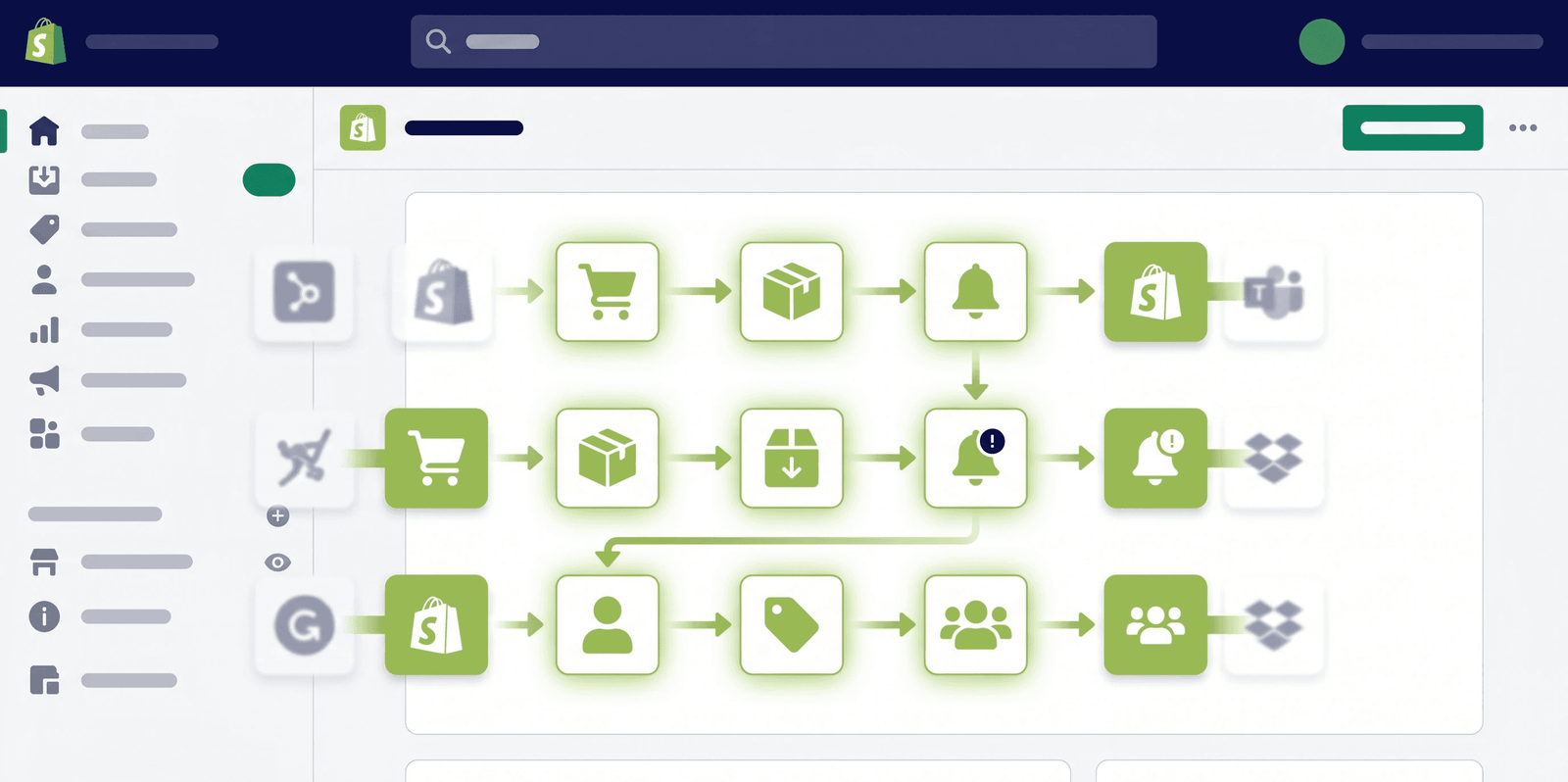
What has changed recently is this. With Shopify Flow and Shopify Sidekick, many of those small tasks can be handled inside your store itself. Not by adding more tools, but by defining clear workflows.
This is not just about saving money. It is about running a cleaner system.
Internal alerts without a notification app
A lot of stores install apps just to stay informed when something happens. New orders, high value purchases, or refunds all trigger the need for visibility.
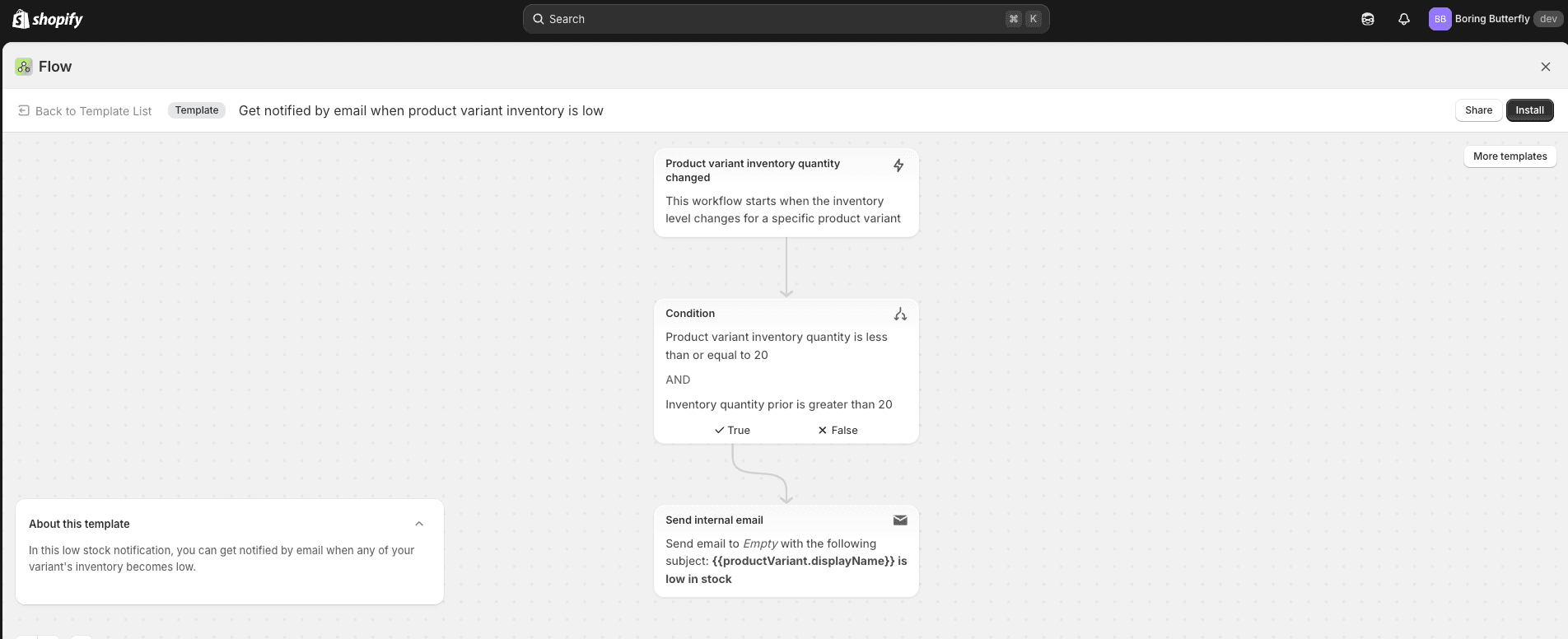
With Shopify Flow, this becomes straightforward. You can create rules such as notifying your team when an order crosses a certain value or when a refund is created. The logic lives inside your store, so there is no dependency on an external tool.
If you want more control over how those alerts are sent, you can connect email workflows through your own SMTP using a tool like FlowSend. That way, communication becomes part of your system instead of a separate layer.
Delayed follow ups without separate email tools
Follow ups are one of the most common reasons stores install apps. But most follow ups follow a predictable pattern.
A customer places an order, some time passes, and then a message is sent.
Shopify Flow handles this well. You can build workflows that wait for a specific duration and then trigger an action. That action can be a thank you message, a feedback request, or a reminder to re engage.
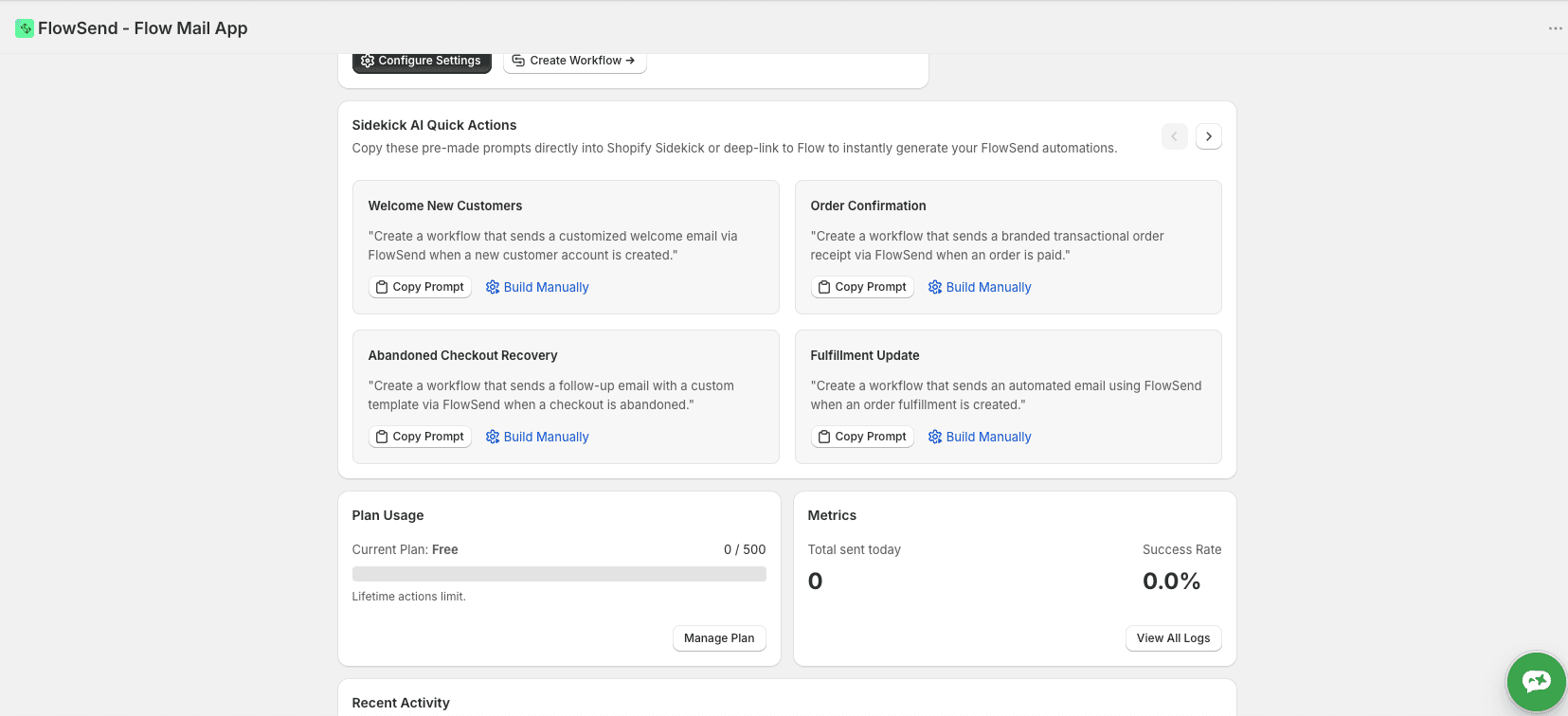
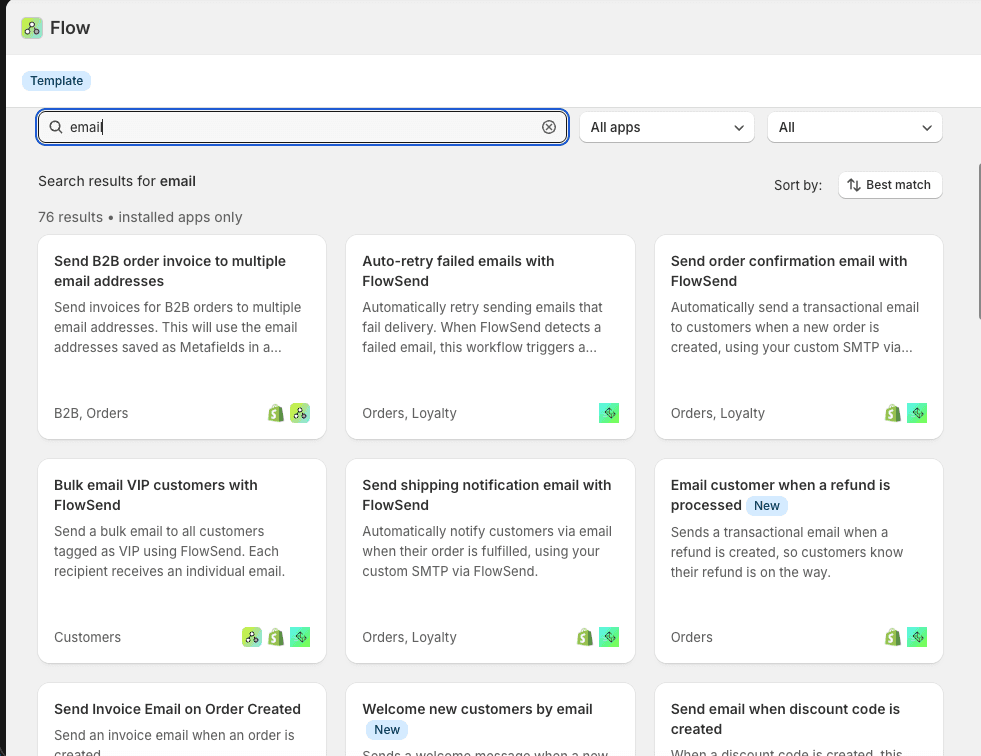
Using an app like Flowsend will enable you to do it with ease and has a lot of premade templates already which can be deployed on one click.
You can find more information here: Shopify Email Automation Using Shopify Flow
Once email is connected properly, these workflows become flexible enough to handle most transactional communication without relying on another platform.
Segmentation triggers without a heavy CRM
Segmentation often sounds complex, but a large part of it is just tagging customers based on behavior.
With Flow, you can automatically tag customers when they reach a certain spend level, make repeat purchases, or interact with your store in specific ways.
These tags can then be used for campaigns, reporting, or internal tracking. For many stores, this replaces the need for lightweight segmentation tools that only handle basic logic.
Low inventory actions without inventory apps
Inventory alerts are another area where apps are commonly used, even though the requirement is simple.
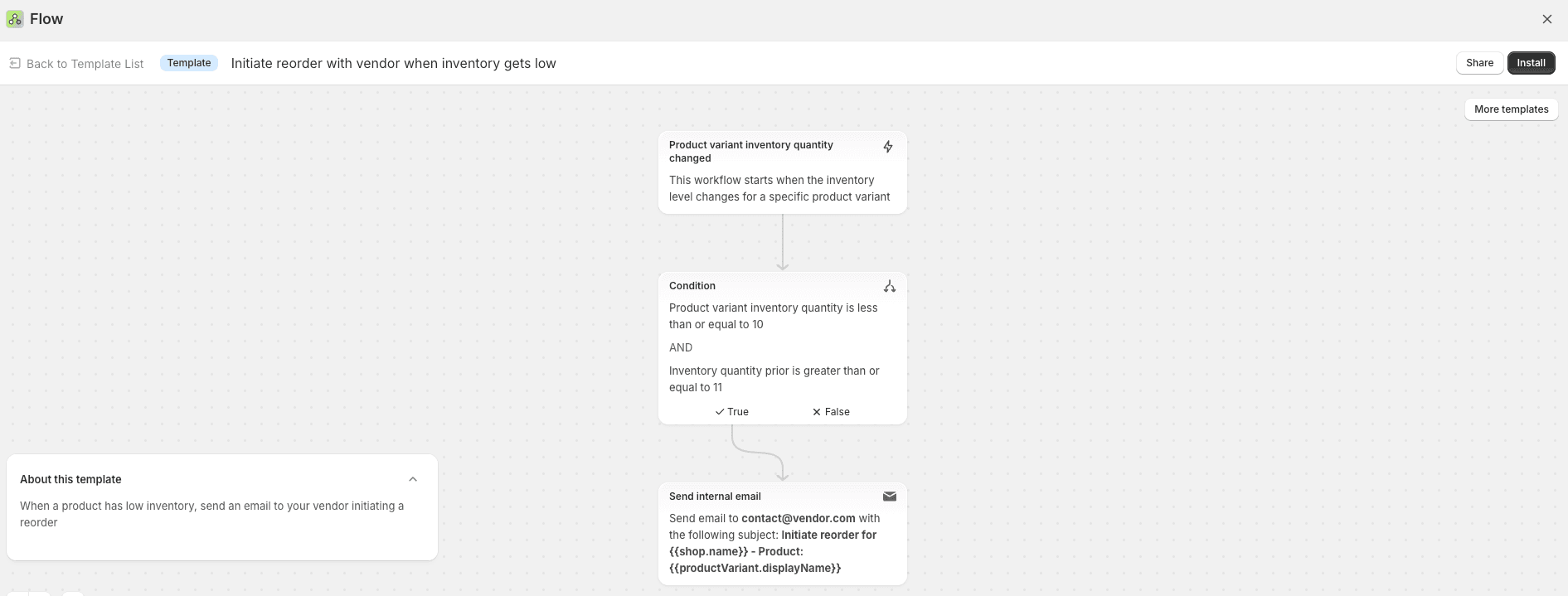
When stock drops below a threshold, someone needs to know. Sometimes you may also want to pause promotions or adjust how products are displayed.
Shopify Flow allows you to define these conditions clearly. When inventory reaches a certain point, it can trigger internal notifications or other actions that help you respond quickly.
This removes the need for tools that only monitor stock levels and send alerts.
Where Sidekick becomes useful
The biggest challenge for most store owners is not execution. It is knowing what to automate.
This is where Shopify Sidekick adds value.
You can ask it to analyse your store activity and suggest workflows that could save time or reduce costs. For example:
“Analyse my store for the last 90 days and suggest workflow automations that can save time and reduce cost.”
Instead of starting from scratch, you get direction based on how your store actually operates.
From there, Shopify Flow becomes the execution layer.
Replacing apps with intent
This approach is not about removing every app.
Some tools are worth keeping because they solve complex problems. The focus should be on identifying apps that exist only to handle simple, repetitive tasks.
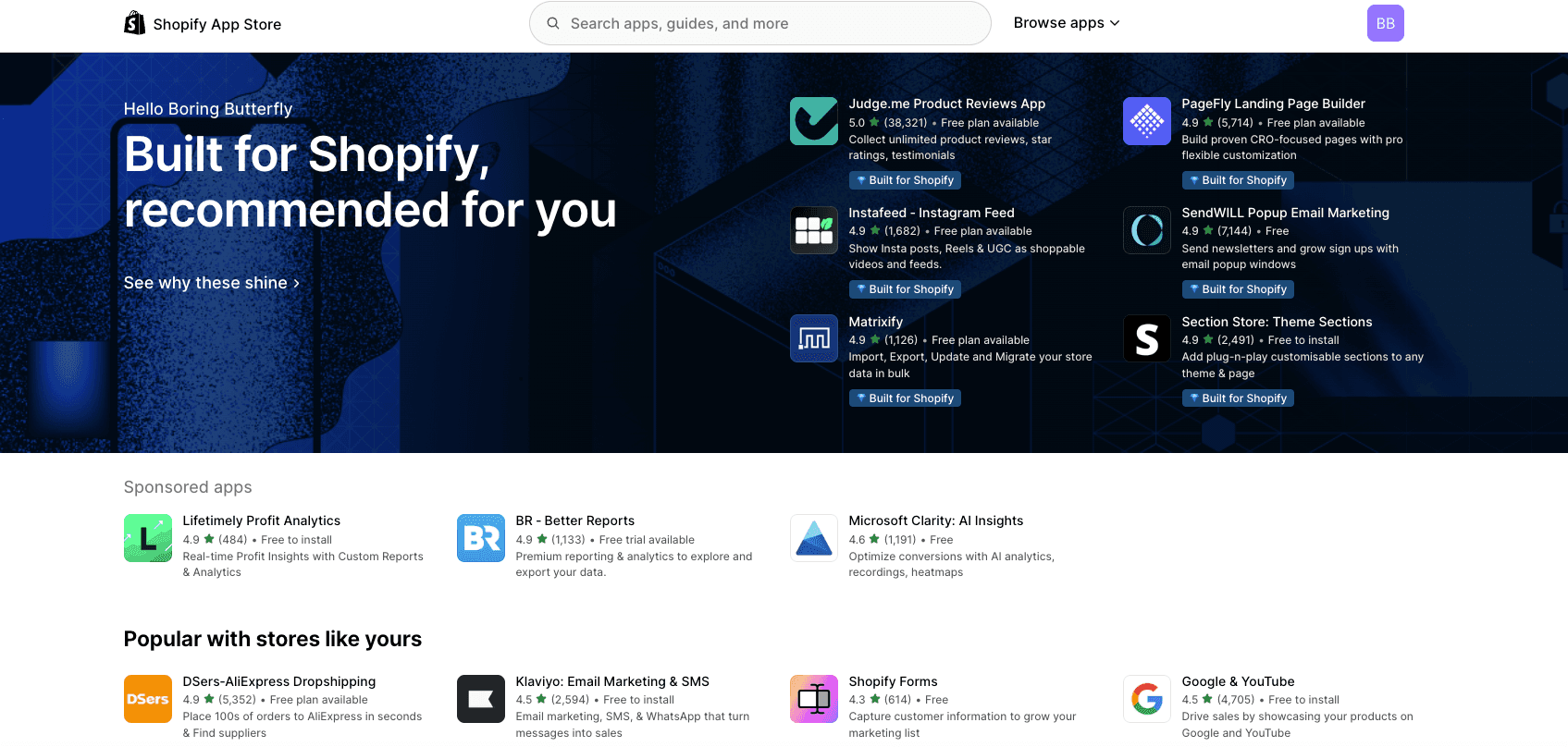
Those are the ones that can be replaced with workflows.
When you make that shift, your store becomes easier to manage. There are fewer moving parts and more clarity in how things run.
Final thought
Most Shopify stores do not need more tools. They need better structure.
Recommended Read: How to Decide Which Shopify Apps to Remove Using Sidekick
Sidekick helps you identify what can be automated.
Shopify Flow helps you implement it.
Once you start thinking this way, your store becomes simpler, more predictable, and far less dependent on a growing list of apps.
Most Shopify stores do not plan to build a heavy app stack. It happens slowly. A tool gets installed to solve a small problem. Then another one for a slightly different need. After a few months, the store is running on layers of apps that do not really connect with each other.
Costs increase, performance starts to suffer, and simple tasks feel more complicated than they should.
What has changed recently is this. With Shopify Flow and Shopify Sidekick, many of those small tasks can be handled inside your store itself. Not by adding more tools, but by defining clear workflows.
This is not just about saving money. It is about running a cleaner system.
Internal alerts without a notification app
A lot of stores install apps just to stay informed when something happens. New orders, high value purchases, or refunds all trigger the need for visibility.
With Shopify Flow, this becomes straightforward. You can create rules such as notifying your team when an order crosses a certain value or when a refund is created. The logic lives inside your store, so there is no dependency on an external tool.

If you want more control over how those alerts are sent, you can connect email workflows through your own SMTP using a tool like FlowSend. That way, communication becomes part of your system instead of a separate layer.
Delayed follow ups without separate email tools
Follow ups are one of the most common reasons stores install apps. But most follow ups follow a predictable pattern.

A customer places an order, some time passes, and then a message is sent.
Shopify Flow handles this well. You can build workflows that wait for a specific duration and then trigger an action. That action can be a thank you message, a feedback request, or a reminder to re engage.

Using an app like Flowsend will enable you to do it with ease and has a lot of premade templates already which can be deployed on one click.
You can find more information here: Shopify Email Automation Using Shopify Flow
Once email is connected properly, these workflows become flexible enough to handle most transactional communication without relying on another platform.
Segmentation triggers without a heavy CRM
Segmentation often sounds complex, but a large part of it is just tagging customers based on behavior.
With Flow, you can automatically tag customers when they reach a certain spend level, make repeat purchases, or interact with your store in specific ways.
These tags can then be used for campaigns, reporting, or internal tracking. For many stores, this replaces the need for lightweight segmentation tools that only handle basic logic.
Low inventory actions without inventory apps
Inventory alerts are another area where apps are commonly used, even though the requirement is simple.

When stock drops below a threshold, someone needs to know. Sometimes you may also want to pause promotions or adjust how products are displayed.
Shopify Flow allows you to define these conditions clearly. When inventory reaches a certain point, it can trigger internal notifications or other actions that help you respond quickly.
This removes the need for tools that only monitor stock levels and send alerts.
Where Sidekick becomes useful
The biggest challenge for most store owners is not execution. It is knowing what to automate.
This is where Shopify Sidekick adds value.
You can ask it to analyse your store activity and suggest workflows that could save time or reduce costs. For example:
“Analyse my store for the last 90 days and suggest workflow automations that can save time and reduce cost.”
Instead of starting from scratch, you get direction based on how your store actually operates.
From there, Shopify Flow becomes the execution layer.
Replacing apps with intent
This approach is not about removing every app.
Some tools are worth keeping because they solve complex problems. The focus should be on identifying apps that exist only to handle simple, repetitive tasks.

Those are the ones that can be replaced with workflows.
When you make that shift, your store becomes easier to manage. There are fewer moving parts and more clarity in how things run.
Final thought
Most Shopify stores do not need more tools. They need better structure.
Recommended Read: How to Decide Which Shopify Apps to Remove Using Sidekick
Sidekick helps you identify what can be automated.
Shopify Flow helps you implement it.
Once you start thinking this way, your store becomes simpler, more predictable, and far less dependent on a growing list of apps.
More Blogs Like This

How to Replace Paid Shopify Apps Using Shopify Flow and Save Costs
Shopify Tips

Must-Have Shopify Apps for Your Online Store
Shopify Tips
MORE LINKS
2026 @ The eCom Show is a brand of Golden Percentages LLP.
MORE LINKS
2026 @ The eCom Show is a brand of Golden Percentages LLP.
MORE LINKS
2026 @ The eCom Show is a brand of Golden Percentages LLP.


